
Online Safety
What are the issues?
The internet – on the whole is an inspiring and positive place.
The internet is an amazing resource which enables children and young people to connect, communicate and be creative in a number of different ways, on a range of devices.
However, the internet is always changing, and being able to keep up to date with your children’s use of technology can be a challenge.
You may sometimes feel that your children have better technical skills than you do, however children and young people still need advice and protection when it comes to managing their lives online.
Issues that your child may encounter on the internet will vary depending on their age and online activities.
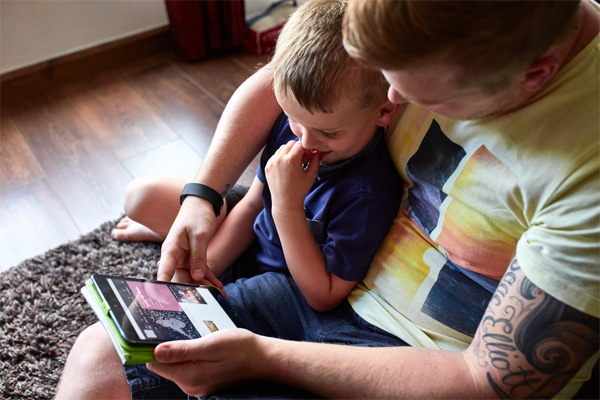
Organisations and websites offering further information and support for online safety:
Play Like Share –
Play Like Share follows the adventures of Sam, Ellie and Alfie as they form a band and enter their school’s Battle of the Bands contest, taking on the mean but ‘cool’ Popcorn Wizards as they go. The three friends learn that while the internet can help, they need to use it wisely and safely.
The aim of the films is to help 8-10 year olds learn how to stay safe online. In particular, the films teach them to spot the early signs of manipulative, pressurising and threatening behaviour by people they might meet online, and develops their confidence to respond safely and get help.

Be Share Aware –
Keep your child safe online
We tell our children it’s good to share – but online it’s different. In fact sometimes sharing online can be dangerous. Being Share Aware will help keep your child safe online.
Watch and share a short film and take a look at some straightforward advice that will untangle the web, and give parents confidence in talking to their children about how to stay safe online.


Issues
Advice

“Since starting Swinemoor my son has come on in leaps and bounds and in just a short time. I am looking forward to the further progress.”
“Keep encouraging sport such as football and netball..”
“I love the fact that the children and staff love being there and are so proud of their school.”
“Teaching staff in Y 5/6 who really challenge the children and move them forward.”
“The respect both pupils and staff have for one another shows all around the school. It’s a very happy place to be.”
“The school is very clean and staff well dressed. Its nice when visiting to see all the work on display and to hear the excellent comments from the kids about their day.”
“The fact they have a very modern approach to their teaching and the headmaster is very much involved and isn’t scared to get his hands dirty and interacts very well with all the staff and children.”
“I like everything about the school. My child has made excellent progress.”
” It’s a really good school with high standards and high achievers.”
“Very happy with everything the school does. Loved the Christmas plays – both of them.”
“Progress of the children and if and when necessary they are given extra help.”
“Always giving our children a challenge. Always pushing them harder, not taking satisfactory, but aiming high!.”
“We like the fact that the children’s work/plays are able to be seen on the website and I think the teacher’s end of term videos are a great addition.”
“The way that my child has improved 100% from last school.”
“The enthusiasm of the staff and the fact my child has been encouraged to learn whilst being allowed to progress at his own speed.”
“Competitions that occur each half term.”
“All of the shows/ performances are so professional and we feel welcomed coming into school. I think the school instills confidence and high self esteem in pupils.”
“We really enjoy all the school performances that parents are invited to.”
“How the children progress and where necessary they are given help to achieve that progress.”
“That each child’s needs are met, a great understanding (SEN)”
“That the children are very proud of their work and teachers make sure they are rewarded.”
” It’s a really good school with high achievers and high standards from the pupils. Very helpful if I’ve had a problem.”
“Strong headteacher. Caring and intelligent teachers. Good curriculum. Good discipline.”
“I am impressed with the teaching at this school and pushing the kids into doing work they are capable of.”
“My daughter likes Swinemoor because she says ‘everyone is friendly’. I like it because all children are included and have the confidence to compete and challenge anyone.”
“My daughter is making fantastic progress. The two performances I have seen have been excellent (Harvest and Christmas).”
“Staff are welcoming and willing to help/listen. Child always seems happy.”
